
10 local AI tools built into FrameShift.
No upload. No cloud. No subscription.
Every AI feature in FrameShift runs entirely on your Windows machine using ONNX Runtime. Extract text from images and PDFs, remove backgrounds, create subtitle files, upscale images and video, erase objects, split audio stems, denoise recordings and interpolate video — all offline, all free, all from the right-click menu.
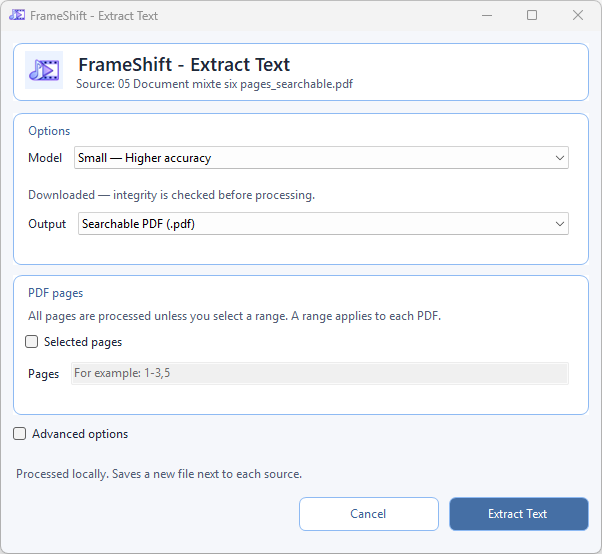
Extract Text
Recognize text from images, scanned PDFs and mixed documents. Export UTF-8 text, structured JSON or a searchable PDF while retaining the original appearance. Choose PDF pages, native-text reuse, rendering quality and paragraph layout.
Small favors accuracy; Tiny favors speed. Download the complete model package once (about 31.7 MB or 6.7 MB), then process files offline with CPU or DirectML.
PP-OCRv6 Small PP-OCRv6 Tiny Extract Text detailsRemove Background
Cut out any subject from a photo with a single right-click. Choose between Fast mode (GPU via DirectML), High Resolution Matting for fine hair and edge detail, or High Resolution General for complex scenes. Output is a transparent PNG saved next to the source — nothing uploaded, ever.
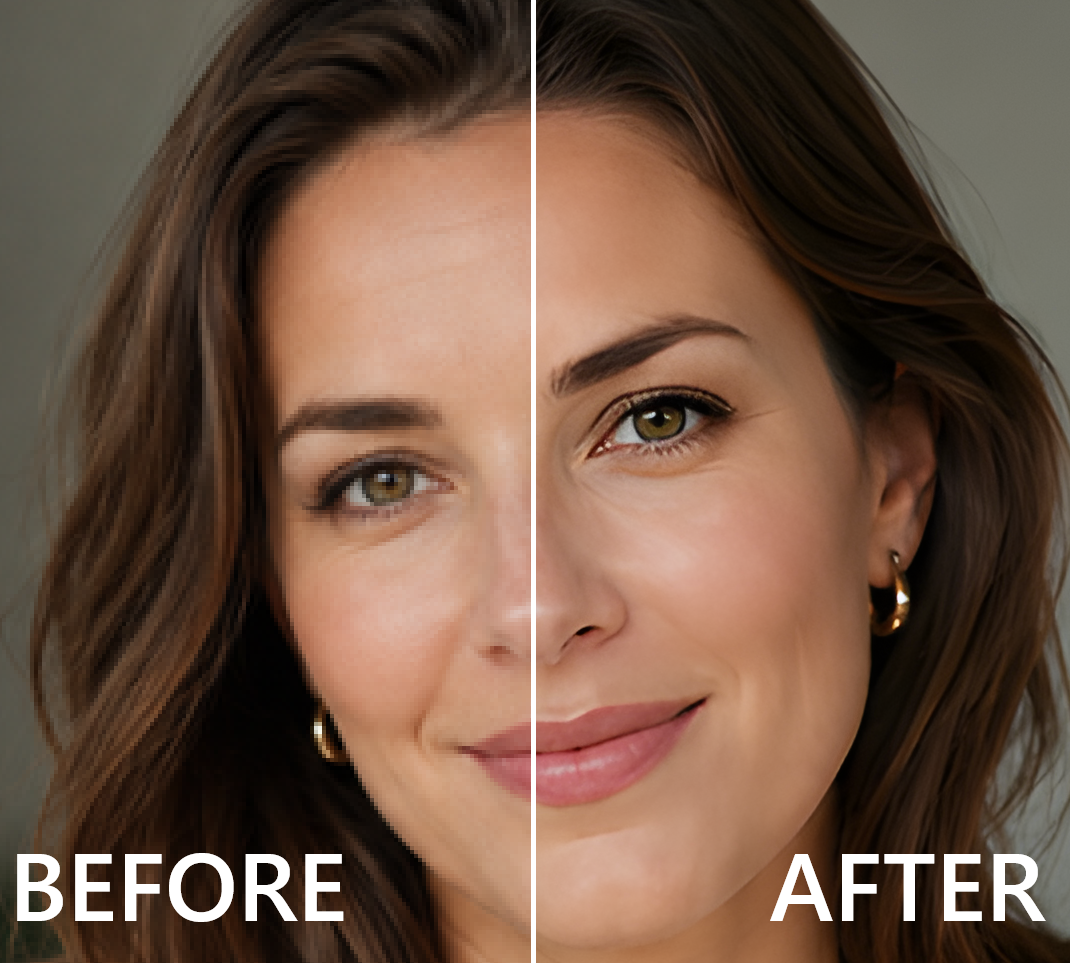
Upscale Image
Enlarge any image ×2, ×3, ×4 or to a custom resolution using a local AI model of your choice. Real-ESRGAN x4plus for general photos and AI art, Anime 6B for illustrations and manga, Swin2SR for restoration-grade quality on degraded images. GPU-accelerated via DirectML, with automatic invisible tiling for large files.
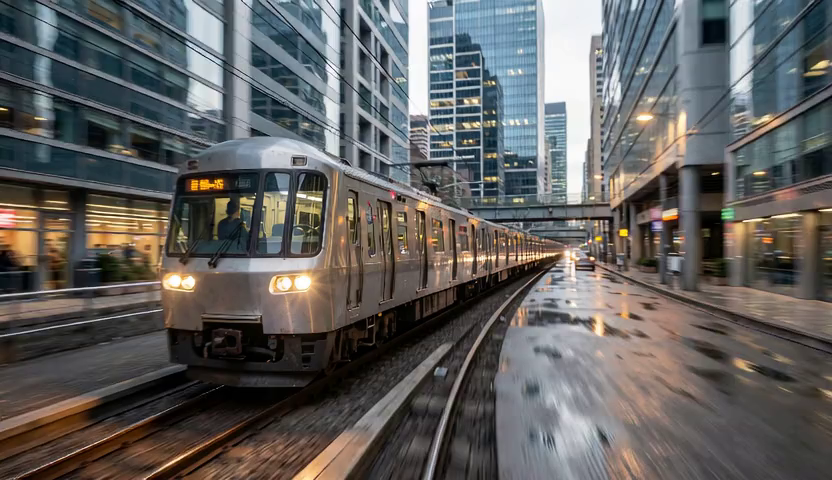
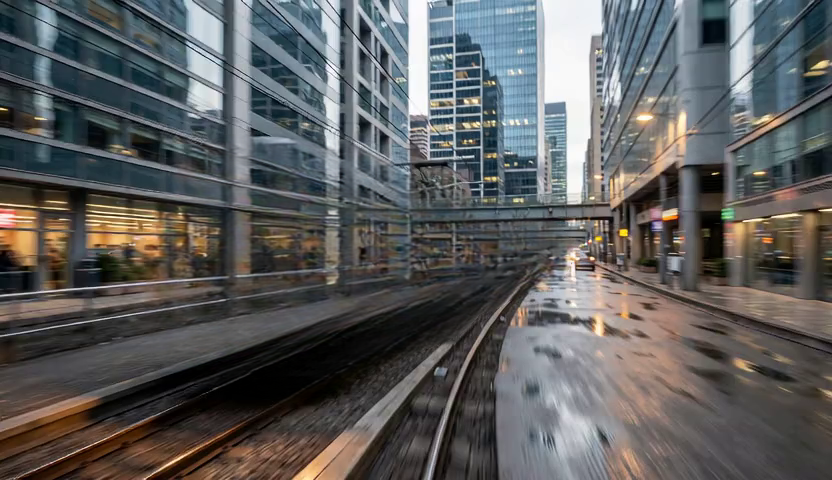
Remove Object
Open the visual editor, paint a mask over any unwanted object with a brush, click Apply — LaMa inpainting reconstructs the background behind it. Choose Quality mode (LaMa FP32) for the best results, or Fast mode (LaMa 2025) for quicker edits. No Photoshop, no subscription, no upload.
Interpolate Video (RIFE)
Generate smoother motion and higher frame rates from any video using the RIFE model running locally via ONNX Runtime. Pick a ×2 or ×4 frame rate multiplier, choose your model variant, and get the interpolated video next to the source. Choose Normal Speed or Slow Motion x2/x4, with options to retain the original pitch or remove audio in slow motion. GPU-accelerated where available, automatic CPU fallback.
Upscale Video
Improve low-resolution clips, older screen captures, and compressed footage with a local AI video upscaler built for the same right-click workflow as the rest of FrameShift. Keep everything on your Windows machine, avoid uploads entirely, and get a cleaner larger output than a basic resize. Choose General v3 for fast general footage, AnimeVideo v3 for animation, or x4plus Quality for a slower, more detailed result. All three support DirectML with CPU fallback.
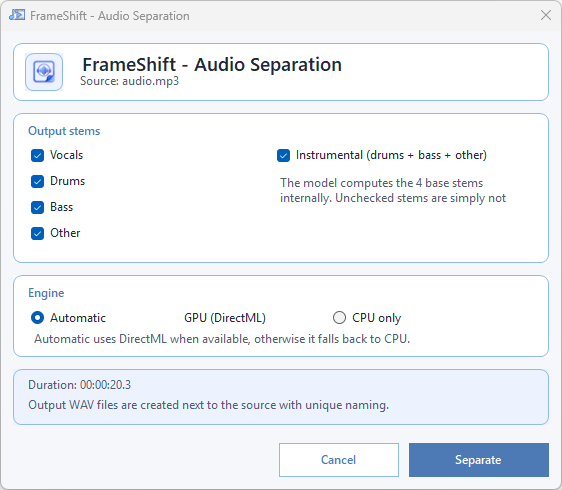
Audio Separation
Split any audio or video file into vocals, drums, bass, other and instrumental using HTDemucs ONNX exports. CPU and GPU models included. No upload, no per-track charge.
Create Subtitle File
Transcribe audio or video into an adjacent unique SRT, Advanced ASS or FrameShift subtitle project with local Whisper AI. Three models are available, DirectML accelerates when possible, and CPU fallback stays automatic.
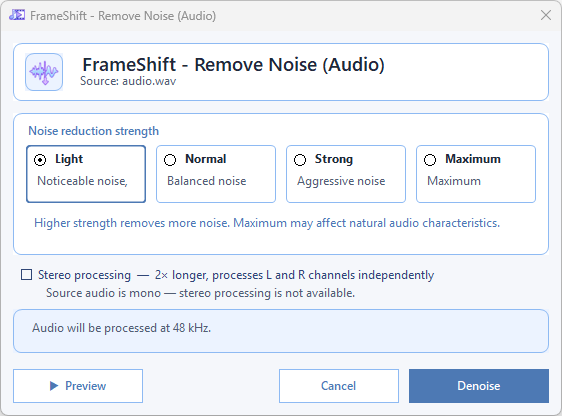
Remove Noise (Audio)
Strip background noise from any recording — room hum, fan noise, keyboard clicks, street sound. DeepFilterNet3 runs on CPU, works on any Windows machine, no GPU required.
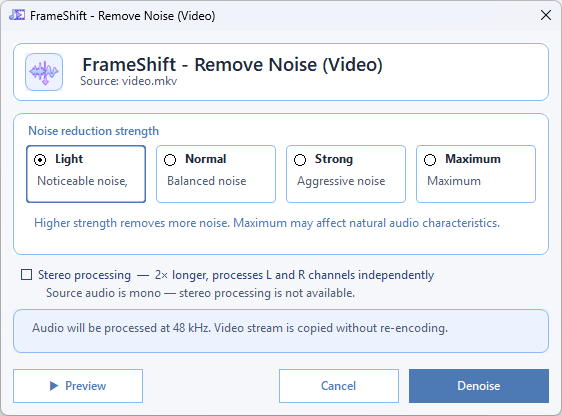
Remove Noise (Video)
Denoise the audio track of a video file without re-encoding the video stream. The video quality is preserved exactly — only the audio is cleaned by DeepFilterNet3.
Under the hood — models and technology
| Feature | Model | License | GPU |
|---|---|---|---|
| Extract Text | PP-OCRv6 Small / Tiny | Apache-2.0 | ✓ DirectML + CPU fallback |
| Remove Background | BiRefNet Lite | MIT | ✓ DirectML + CPU fallback |
| Remove Background | BiRefNet HR Matting | MIT | CPU only |
| Remove Background | BiRefNet HR General | MIT | CPU only |
| Remove Background | BRIA RMBG-2.0 FP16 ¹ | CC BY-NC 4.0 | ✓ DirectML |
| Remove Background | BRIA RMBG-2.0 FP32 ¹ | CC BY-NC 4.0 | CPU / GPU |
| Upscale Image | Real-ESRGAN x4plus | BSD-3-Clause | ✓ DirectML + CPU fallback |
| Upscale Image | Real-ESRGAN Anime 6B | BSD-3-Clause | ✓ DirectML + CPU fallback |
| Upscale Image | Swin2SR | Apache-2.0 | ✓ DirectML + CPU fallback |
| Upscale Video | Real-ESRGAN General v3 | BSD-3-Clause | ✓ DirectML + CPU fallback |
| Upscale Video | Real-ESRGAN AnimeVideo v3 | BSD-3-Clause | ✓ DirectML + CPU fallback |
| Upscale Video | Real-ESRGAN x4plus (Quality) | BSD-3-Clause | ✓ DirectML + CPU fallback |
| Remove Object | LaMa FP32 (Quality) ² | Apache-2.0 code; see weight notice ² | ✓ DirectML + CPU fallback |
| Remove Object | LaMa 2025 (Fast) ² | Apache-2.0 code; see weight notice ² | ✓ DirectML + CPU fallback |
| Audio Separation | HTDemucs CPU | MIT | CPU only |
| Audio Separation | HTDemucs DirectML | MIT | ✓ DirectML |
| Create Subtitle File | Whisper Base | MIT + Apache-2.0 notices | ✓ DirectML + CPU fallback |
| Create Subtitle File | Whisper Small | MIT + Apache-2.0 notices | ✓ DirectML + CPU fallback |
| Create Subtitle File | Whisper Large-v3 Turbo | MIT + Apache-2.0 notices | ✓ DirectML + CPU fallback |
| Remove Noise (Audio + Video) | DeepFilterNet3 | MIT | CPU only |
| RIFE Interpolation | RIFE v4.26 x2 | MIT | ✓ DirectML + CPU fallback |
| RIFE Interpolation | RIFE v4.25 Lite | MIT | ✓ DirectML + CPU fallback |
Models available through FrameShift are downloaded on demand, stored locally, and integrity-checked before use. They are never automatically updated without your knowledge. ¹ BRIA models are optional, user-supplied, and non-commercial only. ² Both LaMa weight sets were trained on Places2; commercial use is not guaranteed. See the third-party notices.
Why local AI matters
Your files never leave your machine
Cloud AI tools (remove.bg, LALAL.AI, Adobe Enhance, Topaz…) upload your images, videos and audio to remote servers. FrameShift processes everything locally. Your files are never transmitted anywhere.
No subscription, no per-use charge
Cloud AI services charge monthly or per operation. FrameShift is completely free with no usage limits. Process a hundred images or a hundred songs — the cost is the same: zero.
Works offline, always available
Once a model is downloaded, every AI feature works without any internet connection. No service outages, no API rate limits, no account to log into.
Frequently asked questions
Does FrameShift send images or audio to the cloud for AI processing?
No. Every AI feature in FrameShift runs entirely on your machine. Your files never leave your disk. There is no upload, no cloud service, no remote API call of any kind.
What local AI features does FrameShift include?
FrameShift includes 10 local AI features: Extract Text (PP-OCRv6 for images and PDFs), Remove Background (BiRefNet), Upscale Image (Real-ESRGAN, Anime 6B, Swin2SR), Upscale Video, Remove Object (LaMa inpainting), Audio Separation (HTDemucs), Create Subtitle File (Whisper), Remove Noise from audio files (DeepFilterNet3), Remove Noise from video files (DeepFilterNet3), and Interpolate Video with RIFE.
Does local AI require a powerful GPU?
No. FrameShift uses ONNX Runtime with DirectML for GPU acceleration when a compatible GPU is available, and falls back to CPU automatically. All AI features work on any Windows 10/11 machine. A GPU speeds up processing significantly but is never required.
Are the AI models free to use?
FrameShift has no subscription or per-use charge. Downloadable models have their own licence terms and are verified before use. LaMa code is Apache-2.0, but commercial use of the Places2-trained weights is not guaranteed. Optional BRIA RMBG-2.0 is user-supplied and non-commercial only. Consult the FrameShift third-party notices before choosing a model for commercial work.
Do I need an internet connection to use AI features?
Only the first time, to download the model. After that, every AI feature runs completely offline with no internet connection required.
What technology powers the AI features in FrameShift?
All AI features use ONNX Runtime as the inference engine, with DirectML for GPU acceleration on Windows. Models are distributed as ONNX files, downloaded on first use and integrity-checked with SHA-256 before every run.
10 local AI features. Free. No upload.
Download FrameShift and run AI on your machine — no account, no cloud, no subscription.